TiddlyWiki is a reusable personal web notebook. It allows anyone to create personal hypertext documents that can be published on the Web, and also search and tag content. The developers write, "TiddlyWiki is designed to be non-linear, structuring content with stories, tags, hyperlinks, and other features. You can organise and retrieve your notes in ways that conform to your personal thought patterns, rather than feel chained to one preset organisational structure. You can use TiddlyWiki as a single file that you view and edit through any web browser, whether you are online or offline. Or you can use it as a powerful Node.js application that stores each of your notes as a separate file."
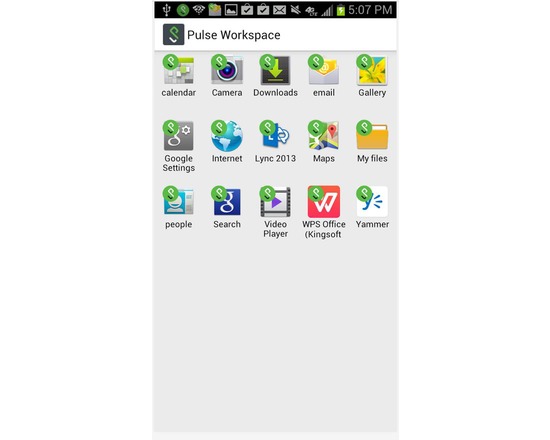
Important Note: Pulse Workspace requires an enterprise license. Please contact your school's IT organization before attempting to use this client. Pulse Workspace helps your educational organization/school enterprise mobilize their applications, govern their data, and respect the privacy of their employees without compromising native user experience. Pulse Workspace' App Virtualization technology secures and isolates enterprise data for any app on any device with no dependence on the app vendor or device manufacturer. This allows enterprises to mobilize their business, secure their data and prevent data leakage from mobile devices. It gives the enterprise the flexibility to choose the apps it needs and the employee the freedom to choose the device they want. Workspace for enterprise apps: • Enterprise data is secured and isolated. • Personal data remains out-of-reach of IT. • Application level VPN integrated with Pulse Secure’s Connect Secure SSL VPN gateway • Apps run natively, locally, and offline. • Apps share data within the workspace. Centralized Policy Management: • Enterprise application management • Passcode, data-at-rest encryption, controlled information sharing, Network/per-app VPN • Enterprise wipe leaves all personal data untouched Any App on Any Device: • IT can push any apps it needs (Built-in, Google Play, Custom) to any device • Users install the Workspace on the device of their choice. • Android 4.x
Adobe Photoshop Lightroom is a photo processor and image organizer developed by Adobe Systems for Windows and OS X. It allows viewing, organizing and retouching a large number of digital images. Lightroom's edits are non-destructive. However, despite sharing name with Adobe Photoshop, it is incapable of performing many of Photoshop functions such as doctoring (adding, removing or altering the appearance of individual image items), rendering text or 3D objects on images or modifying individual video frames.
Islandora is an open-source software framework designed to help institutions and organizations and their audiences collaboratively manage, and discover digital assets using a best-practices framework. Islandora was originally developed by the University of Prince Edward Island's Robertson Library, but is now implemented and contributed to by an ever-growing international community.
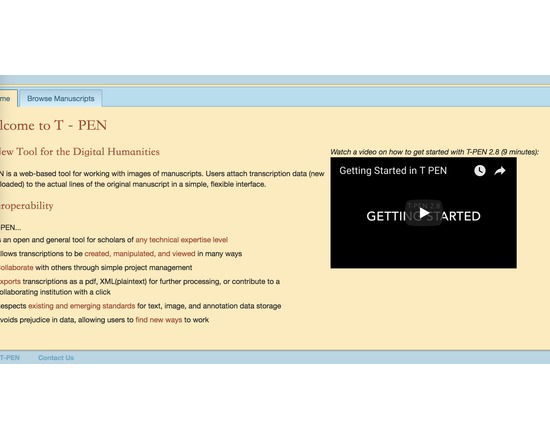
Extensive set of tools to allow collaborative transcription of manuscript pages in TEI-compliant XML. Features of T-PEN through version 1.2 [from project blog] Zoom Tool in Transcription User Interface: Holding CTRL+SHIFT will result in a magnified image of the current line being transcribed. Magnifying Tool in Full Page View: Click on "Magnify" button at the top right of the browser window and a magnifying glass tool will appear as the mouse pointer. Click on the same button to dismiss the tool. The magnifying tool is also available in the Compare Page feature. Create a Project “Pipeline” to the outer world: In partnership with The Carolingian Canon Law Project (CCL), T-PEN developed a model for enabling users working on transcription projects in T-PEN to export their work to a larger, external project. In this instance, the CCL prepared for T-PEN an XML-markup template (XML button set) that may be used for all transcriptions destined for the CCL database. Users identify their T-PEN projects as destined for the CCL, and when the transcription is complete, they can submit it from T-PEN to the CCL project. The CCL receives notification of the stable URL in T-PEN that the CCL can (either manually or by automation) use to extract the designated transcription from T-PEN’s data store. Other projects interested in creating their own pipeline should contact T-PEN via t-pen.org T-PEN Administration: T-PEN administrator can clear registration requests that have not been approved (ones that were mostly generated through internal testing). Transcription UI: The previous line text will scale to the size of the screen. When on the first line of the page, available text from the last line of the previous page will be shown. Visual Cue for Closing Tag Proximity (Transcription UI): Closing tags originating on previous pages are faded to indicate their distance from the current line of transcription. Transcription Preview: The preview tool now applies a simple color filter to to allow for a more clear view of your transcription. New Project Option Tools: Users can add a French/English dictionary, a dictionary for Middle English and the Dictionary of Old English (subscription required). User can select which tools will be available in the Transcription UI’s i-frame. All tools can also be renamed by the user on the project management page. Exporting Transcriptions: When exporting xml, users can select or deselect all the tags for inclusion at once. Line History (Versioning): T-PEN distinguishes between all versions of any transcription line. Users can view previous versions of a given line. A change in a line is defined as addition or deletion of a single character (including white space) or modifications to the line parsing coordinates. A previous version can be selected to replace the current version. All versioning activity is recorded in the project log, which can be viewed on the project management page under the Collaboration tab.
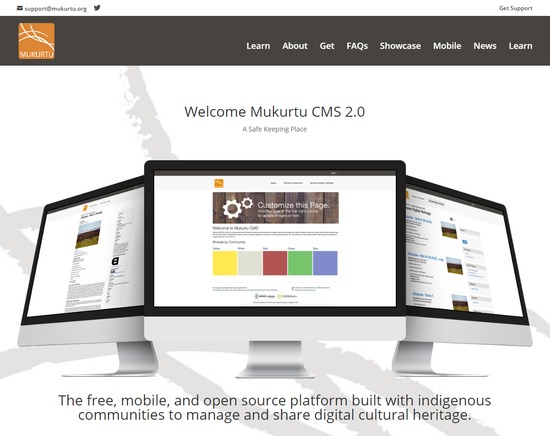
Mukurtu CMS is a free, mobile and open source platform built to manage and share digital cultural heritage. Mukurtu (MOOK-oo-too) is a grassroots project aiming to empower communities to manage, share and exchange their digital heritage in culturally relevant and ethically-minded ways. We are committed to maintaining an open, community-driven approach to Mukurtu's continued development. Our first priority is to help build a platform that fosters relationships of respect and trust.
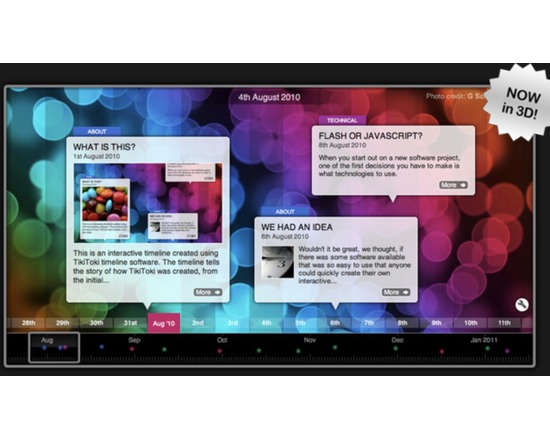
Tiki-Toki provides users with the ability to create interactive and stylish timelines either through a web application or through a desktop app. Timelines created through the web interface can be shared or embedded. Timelines created through the desktop app are only available locally, and can be used for presentations, or for creating timelines using data that you wish to store locally. Users with a free account can create one timeline that can't be embedded. Paid users can create multiple timelines that can be embedded, as well as edited by multiple users.