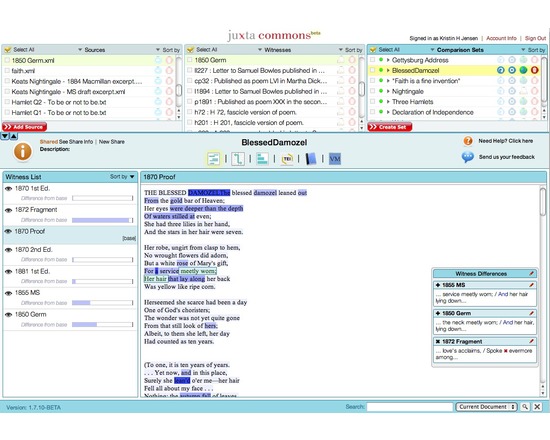
The Juxta family of software (Juxta, Juxta WS, and Juxta Commons) allows you to compare and collate versions of the same textual work. Juxta Commons is an online space powered by the open-source Juxta Web Service that lets you collate sets of two or more texts and share online visualizations of the differences between them. Side-by-side or "heat map" visualizations can be viewed on the Juxta Commons site, while embedding codes are available for sharing a compact version of the heat map visualization on your own blog or website. Collation results can also be output as an XML file with TEI parallel segmentation markup, or as a Word document or HTML file with a base text and traditional textual apparatus. Development of Juxta Commons was sponsored by NINES.
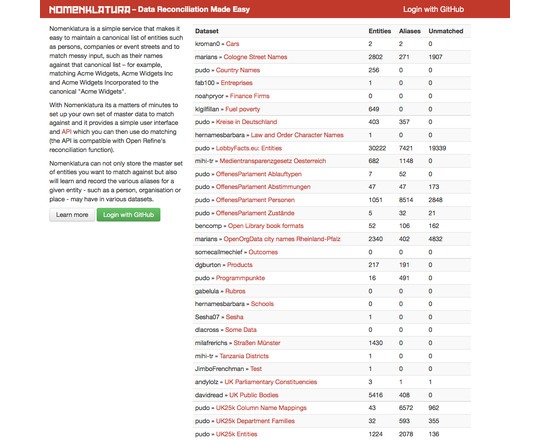
Nomenklatura is a reference data recon server. It is a service that allows users to define and manage manage lists of canonical entities (e.g. person or organization names) and aliases that connect to one of the canonical entities. This helps to clean up messy data in which a single entity may be referred to by many names.It includes a user interface, an API, and a reconciliation endpoint for OpenRefine for matching data from data sets with the canonical entries. By submitting data to Nomenklatura, users agree to license it under the terms of the Open Database License.
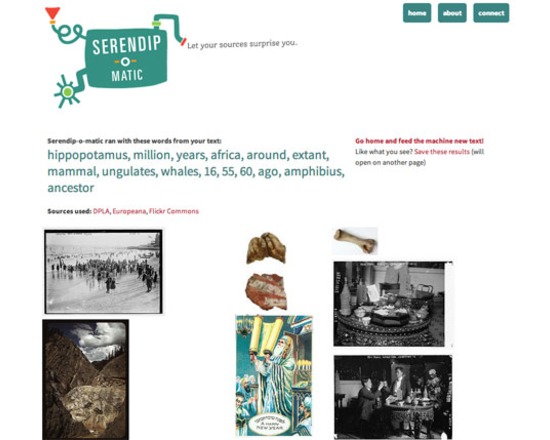
Serendip-o-matic extracts keywords from your Zotero library or from text that you've pasted into the web interface, and finds related content in locations such as the Digital Public Library of America (DPLA), Europeana, and Flickr Commons, including photographs, documents, maps and other primary sources.
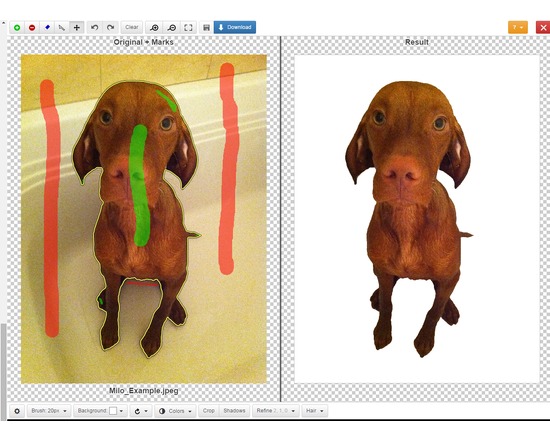
Clipping Magic lets you easily edit out the background of photos. Mark up the foreground and background in the editor, use the scalpel tool for precision selections, then download the new image. You can upload and edit as many images as you like but you must have a paid subscription to download ($4 - $15 per month depending on the number of download credits needed). Officially supported file formats: JPEG, PNG, GIF images using sRGB color space. CMYK displays the wrong colors in the editor but the resulting image is correct. Current max image resolution is 4 megapixels. The Clipping Magic website includes tutorials for each of their tools. Feature List: Web based graphical user Interface, with quick feedback on your edits. Smart Algorithm minimizes the amount of work you need to put in - you do not need to trace the entire outline of your image Pan and Zoom to any level necessary allows you to inspect details while quickly navigating your image. Undo / Redo Auto-Save Configurable Auto-Brush-Size: The brush size adapts dynamically to your zoom level so that you can easily zoom in to make detailed edits. Refine Edges gives you full control over smoothing, feathering and offset. Dedicated Hair Tool separates out hair from clean and distinct backgrounds. Color Levels - tune brightness, shadows and highlights, and the color temperature. Rotate / Straighten. Crop & Resize Shadows creator with both drop shadow and ellipse shadows. Background Color or transparent background options Configurable Defaults Bulk Clipping Share Your Results with a secure URL They also offer a paid REST-oriented Web API for automating the uploading of images and downloading results. Subscriptions range from $50 to $250 per month.The editor can be integrated into a website using ClippingMagic.js
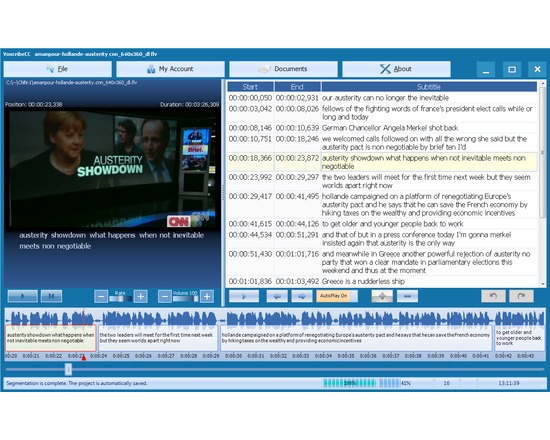
VoxcribeCC has the most accurate speaker-independent and topic-independent desktop speech recognition technology. It is used for media (audio\video) transcription and video-captioning. Please watch VoxcribeCC Usage Video to learn using VoxcribeCC just in 2 minutes. VoxcribeCC offers: • An unmatched ability for audio transcription and subtitle creation and editing, • Outstanding levels of productivity and quality at incredibly low costs. Features: • Direct media-speech-recognition. • Auto time stamping • Interactive time-line with audio energy display • Spell-check and auto text formatting • Subtitle splitting and merging with automatic audio synchronization • Visual subtitles with graphically adjustable start and end points Click here to Download VoxcribeCC
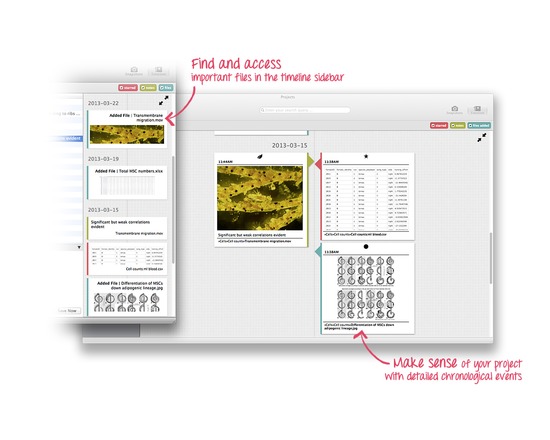
Projects allows researchers to organise and manage all their research outputs in a safe, simple and structured way. It’s designed to help academics, at any stage of their career, keep track and stay on top of all their results. It’s a light, useful and slick application that integrates into a researcher’s existing workflow to help them work more efficiently and ensure they have more time for making discoveries.
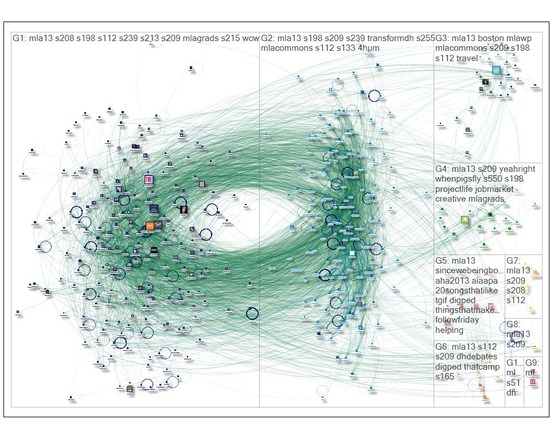
From the website: NodeXL is a free, open-source template for Microsoft® Excel® 2007 and 2010 that makes it easy to explore network graphs. With NodeXL, you can enter a network edge list in a worksheet, click a button and see your graph, all in the familiar environment of the Excel window. (http://nodexl.codeplex.com/) The book Analyzing Social Media Networks with NodeXL: Insights from a Connected World is the most comprehensive source on NodeXL. Accompanying slides and datasets are available on the NodeXL Teaching Resources page. (http://nodexl.codeplex.com/documentation)
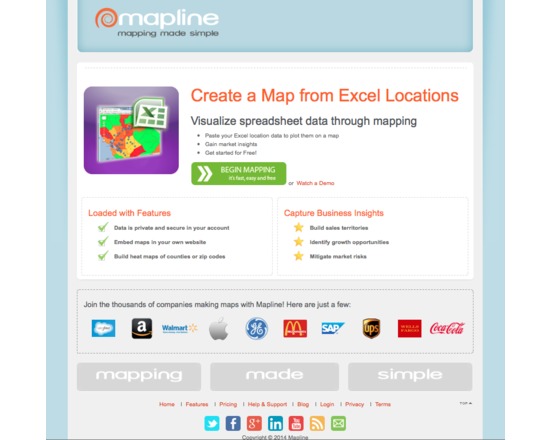
Mapline (previously Topo.ly) is a free and paid online service for capturing and geocoding spatial data from spreadsheets and creating point, territory and heat maps. It is free for limited use (quite generous) and paid when you need to map significant (we are talking substantial) datasets. It's intuitive, easy to use and produces high quality interactive maps. Free service has only minimal map customization options and does not include the visual analysis that is included with the fee options.
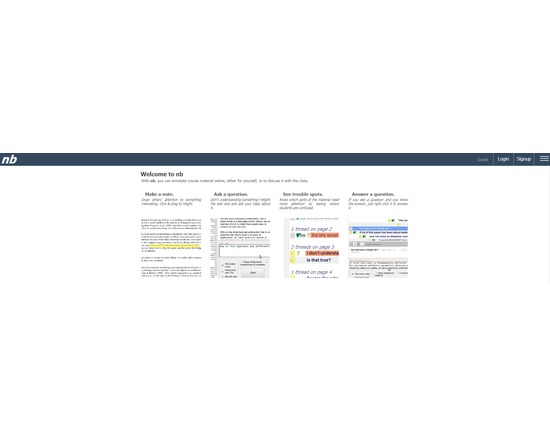
NB is designed for faculty and students to collaboratively annotate PDFs in an online environment. The faculty member can upload course material (e.g. readings), and make it available to their students. Students can then create public and private annotations on those PDFs. NB includes a feature for faculty and (optionally) students to download the resulting fully-annotated PDFs.