With ediarum researchers can comfortably transcribe, encode and edit manuscripts in TEI-XML, as well as publish their results in an online or print edition. The solution, developed by TELOTA, is based on three software components: exist-db, Oxygen XML Author, and ConTeXt. These are combined, supplemented with additional functions, and tailored to fit a project's needs.
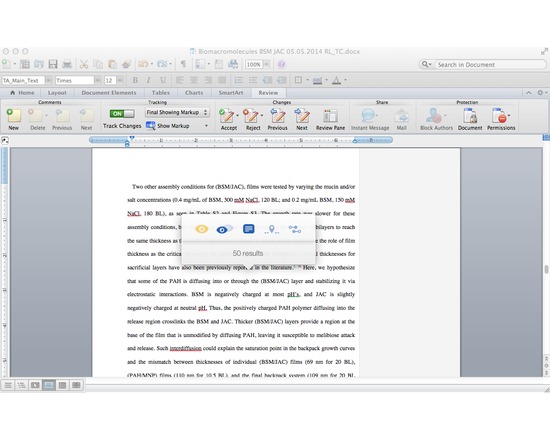
Writefull is a light-weight app that uses data from Google Books (5+ million books) and the Web to improve your writing, It compares small sections of your text to a large data set of writing found online and in Google Books. All you need to do is select a chunk of your text in your browser or text editing software, activate the Writefull popover, and choose one of its five options: 1) check the number of results (how often the chunk appears in Google Books or the Web); 2) compare the number of results (if your selected chunk appears more or less frequently than suggestions from online); 3) see examples in context (display several examples of how your selected chunk is used in different texts); 4) find words in context (see which words are used most often in your context, which you specify in your text by a star. For example, 'research should * this issue' will give you a list with 'research should address this issue', 'research should explore this issue', 'research should examine this issue', etc.); 5) find synonyms in context (see which synonyms of a word are used most often in your context, with you specifying the word you want synonyms for by two stars. For example: 'a *difficult* situation' will suggest 'an awkward situation', 'a serious situation', 'an embarrassing situation', etc). The app works with a small popover which mean you can activate it from whatever writing tool you're using. No need to change windows - no interruption of your workflow. N.B. Writefull 2.0 will be launching soon and will eliminate the need to purchase queries in the Web version. The $5 membership fee still applies.
(from web page) Augmented Notes integrates scores and audio files to produce interactive multimedia websites in which measures of the score are highlighted in time with music. To get started making your own website, upload mp3 and ogg versions of your audio file, images of the pages of your score, and, if you have one, an MEI file containing measure boundaries, then hit submit below. Augmented Notes will help you mark the measures on the score and assign them times, and will output a zip file of everything you need to have your own website.
(from web page) A JavaScript library which provides a function for converting MEI encoded music notation into drawing instructions for the VexFlow music notation rendering library.
(from web page) Historical musical pieces make their way to us through multiple documents and it often happens that multiple sources introduce differences and variants in the music. meiView is an experimental web application designed to display 15–16th century music and provide a dynamic mechanism for the user to select which variant they want to see. meiView is an open source software licensed under Apache 2.0. See the source code on Github
VexFlow is an open-source online music notation rendering API. It is written completely in JavaScript, and runs right in the browser. VexFlow supports HTML5 Canvas and SVG.
(From author Andrew Hankinson): I´m pleased to announce the release of SibMEI 1.0, a Sibelius to MEI plugin. Currently it only exports to MEI from Sibelius (no import). Special thanks to Micah Walter for his work on it this summer. You can download it from the GitHub "Releases" page: https://github.com/DuChemin/sibmei/releases To install: - Download the plugin (either .zip or .tar.gz) - Quit Sibelius if you have it open - Place the "sibmei" folder in your Sibelius plugins folder. See this page for help on how to find this folder on your system: http://www.sibelius.com/download/plugins/index.html?help=install - Restart Sibelius. The plugin should be available in your Plugins drop down bar. To use, simply choose "Export to MEI" from your plugins list. If you find any bugs, please help out by filing an issue on the GitHub Bug Tracker: https://github.com/DuChemin/sibmei/issues. The development of this plugin was supported by two organizations: - The Centre for Interdisciplinary Research in Music Media and Technology (CIRMMT) sponsored the initial development through a visiting research position at the University of Virginia; - The DuChemin Project, led by Richard Freedman at Haverford College and funded by grants from the NEH and Haverford College, sponsored further development in the summer of 2013. Please let me know if you have any questions or comments.
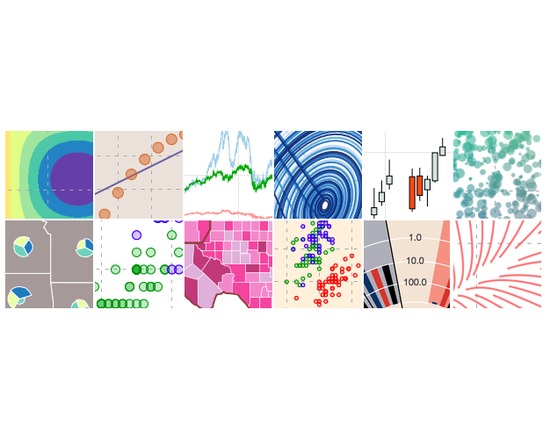
Bokeh is a Python interactive visualization library for large datasets that natively uses the latest web technologies. Its goal is to provide elegant, concise construction of novel graphics in the style of Protovis/D3, while delivering high-performance interactivity over large data to thin clients.
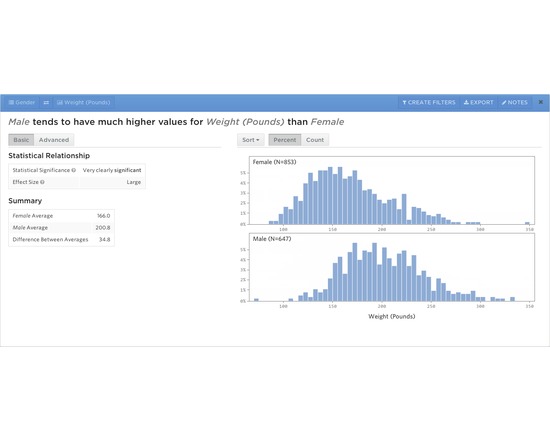
Statwing is an easy-to-use, web-based tool for data analysis and visualization. Upload data, select variables of interest, and Statwing automatically selects statistical tests and visualizations, then distills the results into plain English sentences (as well as traditional statistical output for those so inclined). Free trial available, as well as multiple pricing plans: Statwing Silver — $50/month (unlimited datasets up to 50 MB each) Statwing Gold — $100/month (unlimited datasets up to 500 MB each) Statwing Enterprise — Inquire for cost (unlimited datasets up to 5 GB each, optional on-premise deploy)
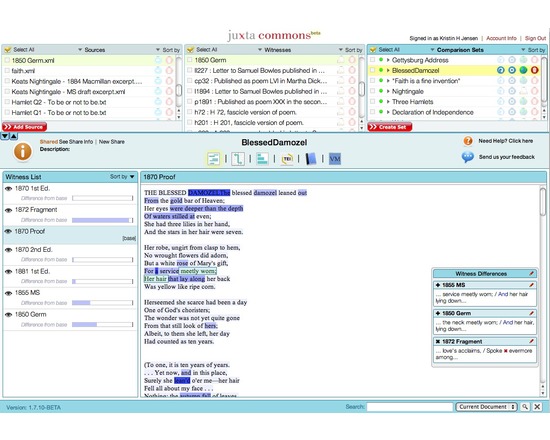
The Juxta family of software (Juxta, Juxta WS, and Juxta Commons) allows you to compare and collate versions of the same textual work. Juxta Commons is an online space powered by the open-source Juxta Web Service that lets you collate sets of two or more texts and share online visualizations of the differences between them. Side-by-side or "heat map" visualizations can be viewed on the Juxta Commons site, while embedding codes are available for sharing a compact version of the heat map visualization on your own blog or website. Collation results can also be output as an XML file with TEI parallel segmentation markup, or as a Word document or HTML file with a base text and traditional textual apparatus. Development of Juxta Commons was sponsored by NINES.