MEItoVexFlow
(from web page) A JavaScript library which provides a function for converting MEI encoded music notation into drawing instructions for the VexFlow music notation rendering library.
(from web page) A JavaScript library which provides a function for converting MEI encoded music notation into drawing instructions for the VexFlow music notation rendering library.
(from web page) Historical musical pieces make their way to us through multiple documents and it often happens that multiple sources introduce differences and variants in the music. meiView is an experimental web application designed to display 15–16th century music and provide a dynamic mechanism for the user to select which variant they want to see. meiView is an open source software licensed under Apache 2.0. See the source code on Github
VexFlow is an open-source online music notation rendering API. It is written completely in JavaScript, and runs right in the browser. VexFlow supports HTML5 Canvas and SVG.
(From author Andrew Hankinson): I´m pleased to announce the release of SibMEI 1.0, a Sibelius to MEI plugin. Currently it only exports to MEI from Sibelius (no import). Special thanks to Micah Walter for his work on it this summer. You can download it from the GitHub "Releases" page: https://github.com/DuChemin/sibmei/releases To install: - Download the plugin (either .zip or .tar.gz) - Quit Sibelius if you have it open - Place the "sibmei" folder in your Sibelius plugins folder. See this page for help on how to find this folder on your system: http://www.sibelius.com/download/plugins/index.html?help=install - Restart Sibelius. The plugin should be available in your Plugins drop down bar. To use, simply choose "Export to MEI" from your plugins list. If you find any bugs, please help out by filing an issue on the GitHub Bug Tracker: https://github.com/DuChemin/sibmei/issues. The development of this plugin was supported by two organizations: - The Centre for Interdisciplinary Research in Music Media and Technology (CIRMMT) sponsored the initial development through a visiting research position at the University of Virginia; - The DuChemin Project, led by Richard Freedman at Haverford College and funded by grants from the NEH and Haverford College, sponsored further development in the summer of 2013. Please let me know if you have any questions or comments.
Organizing
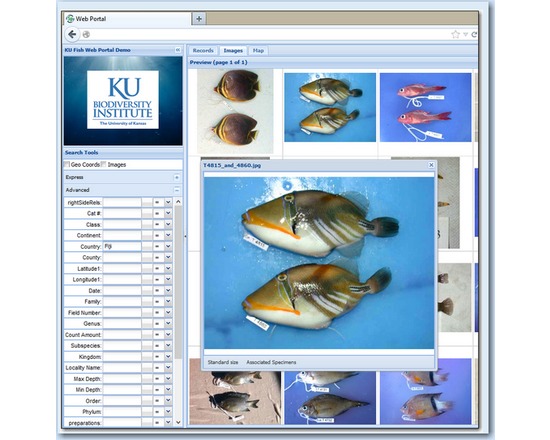
Specify is a database platform for museum and herbarium research data. It manages species and specimen information for computerizing biological collections, tracking museum specimen transactions, linking images to specimen records and publishing catalog data to the Internet. Specify is written in Java for Windows, Mac OS X, and Linux computers and uses the relational data manager, MySQL, as its data engine. Specify, Java, and MySQL are free and open-source. Specify supports data from specimens, taxonomic and stratigraphic classifications, field notebooks, DNA sequence runs, literature references, as well as from other primary sources. It also manages the information associated with repository agreements, accessions, conservation treatments, collection object containers, images, and document attachments. Data fields in Specify’s form windows can be selected, organized, re-named, and re-sized to suit your curatorial preferences and to eliminate the need for tabbing through multiple data forms. Specify’s “tree” data windows for taxonomy, geography, storage location, chronostratigraphy and lithostratigraphy provide intuitive access to hierarchical data for editing, drag-and-drop synonymization, re-parenting, and for discovering linked collection objects.

Collaboration
Simple screencasting and image capture tool. SnagIt is part of TechSmith's family of screen capture and video editing products. Jing offers fewer features, but is a free alternative. Camtasia is the most fully featured of the products, but also the most expensive.
Visualization
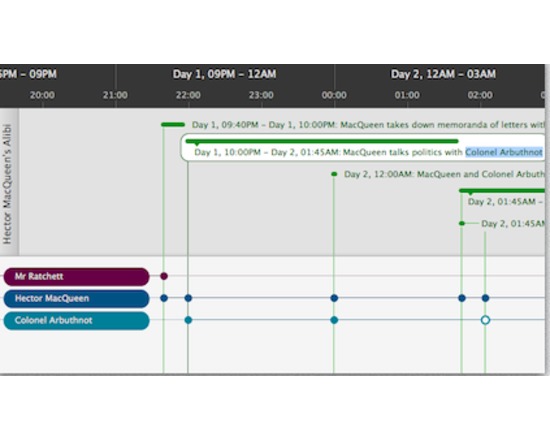
Aeon Timeline is more like an abstract temporal entity management program. I t happens to use a visual timeline, but it allows for conceptual linking of people, places, events in a rather clever fashion. It is intended for brainstorming and collecting via flexible input and export. With Aeon, you can divide your timeline into logical groups, projects, or concurrent arcs. You can model the relationships between events and people, places and ideas. Aeon calculates people's ages for you. And you can link your events with research material such as external files or images that can be displayed inside the application.
Publishing
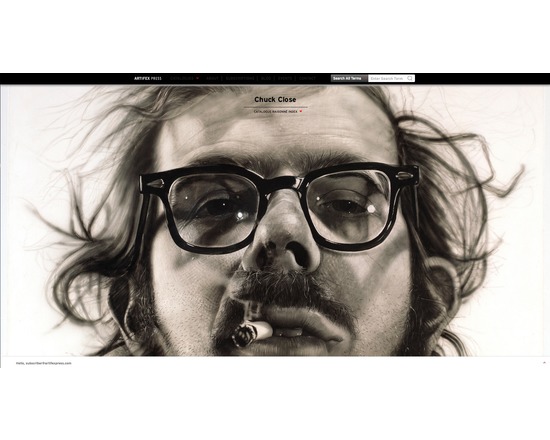
Artifex Press is a publishing and technology company that digitally publishes catalogues raisonnés, a comprehensive, annotated documentation of all of the known artworks by an artists. They have developed a proprietary, patented software platform and a dedicated publishing program in order to create digital catalogues raisonnés. They offer both their own digital catalogues raisonnés and the ability to licence the software to produce your own projects. Catalogues raisonnés have typically been published book but the information they contain is constantly in flux and printed versions are rarely complete and accurate for long. The online version produced by Artifex Press is more accessible, more flexible, more time- and cost-efficient, and above all, more accurate and up-to-date than the traditional printed counterpart.In addition to the digital publication, Artifex Press creates digital archives for all the artists with whom they work. The Artifex Press software is available for licensing, for catalogue raisonné projects run by outside organizations including artist studios, foundations, and estates. The company is open to new collaborations looking to preserve the legacy and intellectual property of artists and estates. Research & Archive Tool Digital content management: create links between artworks, publications, exhibitions, collectors, venues, institutions, and other relevant categories build artwork records with data files such as title, date, medium, dimensions, inscriptions, editions, provenance, condition, installation instructions, and comments store multiple images and private documents in each record Web-accessible: software is available anywhere with an internet connection Unlimited storage: there are no storage limits and performance of your catalogue is not affected by large data sets Attention to your needs: Software has been shaped by the feedback of multiple catalogue editors, researchers, and artist studio managers to determine the most useful, practical, and intuitive tools and features Compatibility: You can import existing databases and convert them to fit Artifex fields without losing information Publishing Tool Publish to a selected audience only: control your user group or make your content available to the public Publish while withholding confidential information: define public and archive only sections of your collection Flexible design: customize the look and feel of your catalogue including the homepage, artwork views and editorial pages Ease of navigation: design features have been rigorously tested to ensure ease of use Multimedia content: include any number of images, videos, audio clips, and other multimedia content Real-time accuracy & cataloguing: by updating provenance as well as exhibition and literature histories, you can maintain the accuracy of the content; you can also expand the catalogue to include newly discovered information and newly created artworks. Assistance: Artifex Press are available to make the editing and publishing process as easy as possible. For more information or to set up a live tour of the software and learn about their research & editorial servces contact: info@artifexpress.com
Visualization
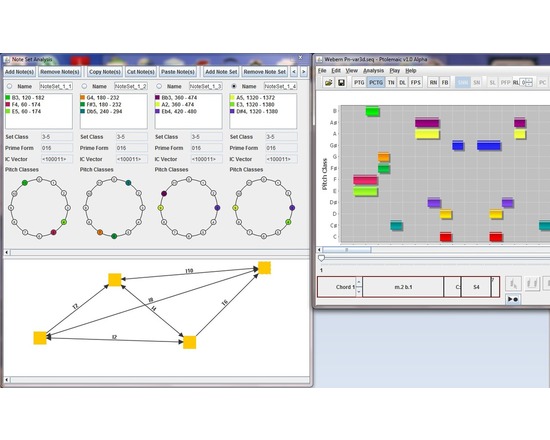
Ptolemaic is a computer application for music visualization and analysis written in the Java programming language. The software is designed to aid in the analysis of all types of Western music using established analytical techniques, including tonal functional analysis (Harrison 1994), pitch-class set analysis (Forte 1973), hierarchical linear analysis (Schenker 1935, Jones 2002), tonal pitch-space analysis on the Tonnetz (Riemann 1915), pitch-class set analysis (Forte 1973), and transformation analysis (Lewin 1987). Musical works and excerpts may be opened and saved using the de-facto standard music notation interchange format, MusicXML. To assist in analysis, Ptolemaic can display the music on a pitch/time graph, on a pitch-class/time graph, on a step-class/time graph (also called a diatonic lattice) (Jones 2002), on the Tonnetz, or using filtered point-symmetry (Douthett 2008). Pitch classes and chords are color coded so that the user can easily correlate them across each graph. The benefit of having a software tool to visualize and perform certain analysis tasks is in automating processes that are normally time-consuming for the musician, thus allowing the music scholar to focus on the musical issues, rather than the technical issues of graphing, and calculating chord classes. Ptolemaic provides useful ways of visualizing a piece of music and tools for gaining more information about that music, so that the user can efficiently make informed musical decisions about the music and preserve that analysis for future study.
Collaboration
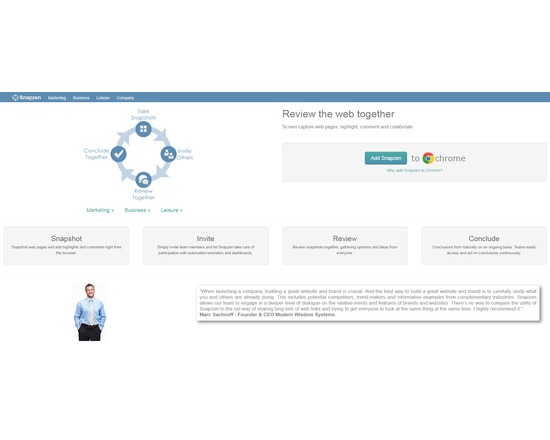
Snapzen is a browser tool that is used to collaborate with others about the information on any web page - right from your browser. Discuss information on web pages with your colleagues, friends or family. It is easy to collaborate with others because they see exactly what you see on the web pages. If you still use copy and paste, screenshot tools, email or chat to discuss web pages, Snapzen will show you a better way.