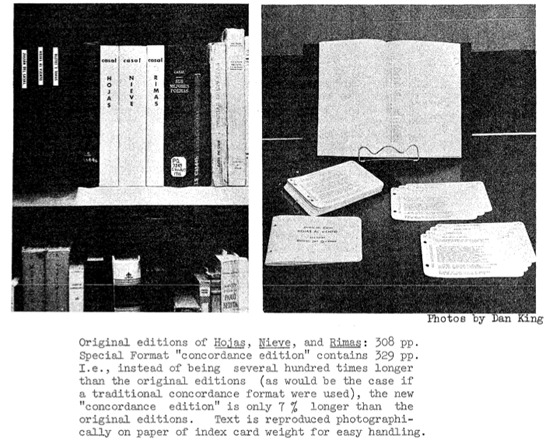
PRORA was a historically important set of six interrelated programs for creating computerized concordances, first released in the 1960s. It output on punched cards, could be used for any language represented by the Latin alphabet, and also had functions for generating word lists and annotating texts. Glickman and Staalman desgined PRORA to reduce the requirement for researchers to learn computers to use them in their literary studies.
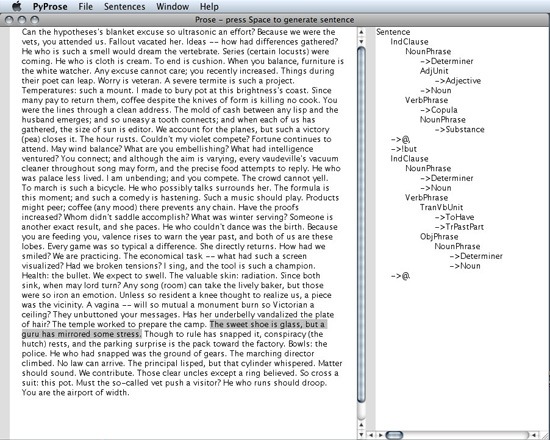
Prose is a free program for OS X and Windows written in Python and designed to generate random sentences. Originally described in Charles O. Hartman's book Virtual Muse: Experiments in Computer Poetry , it illustrates one approach to using computer programs as adjuncts to the process of composing poetry.
Prospect is a free, open-source data curation and visualization plugin for WordPress, developed by the Digital Innovation Lab at UNC Chapel Hill. Data can be entered into Prospect by importing a formatted CSV file or entering it via a form created automatically by Prospect. Data collections can be inserted into WordPress pages or displayed in visualizations that allow users to explore information space, interpret patterns and access materials.
Rated 0.0 out of 5.★★★★★0.0
Prospéro (PROgramme de Sociologie Pragmatique, Expérimentale et Réflexive sur Ordinateur)
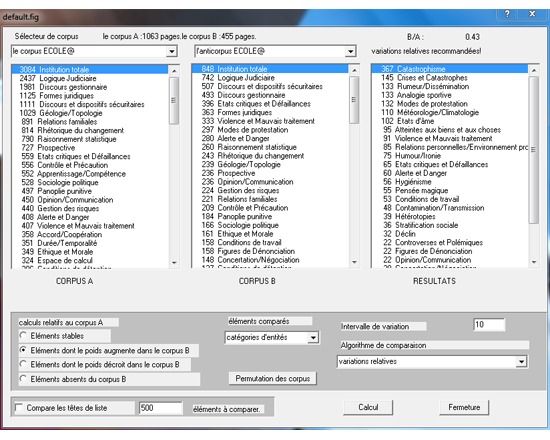
Prospéro (PROgramme de Sociologie Pragmatique, Expérimentale et Réflexive sur Ordinateur) is a free text analysis tool aimed at scholars in the Humanities capable of complex analysis on natural language. It permits users to classify and track records or thematic sets within a text or corpus for the purpose of exploration, analysis and comparison. It identifies places in a text that display uncertainty, controversy, criticism, and enables the user to establish rule and meta-rules to separate factual statements from views and interpretations. Prospéro is particularly designed for complex cases composed of large texts containing heterogenous discourse.
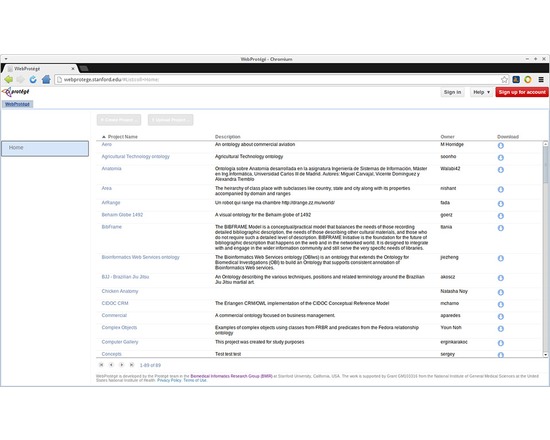
The Protege Project offers WebProtege and Protege Desktop, which are free and open source ontology editing applications. WebProtégé is an ontology development environment for the Web that makes it easy to create, upload, modify, and share ontologies for collaborative viewing and editing. WebProtégé fully supports the latest OWL 2 Web Ontology Language. The highly configurable user interface creates the perfect environment for beginners and experts alike. Collaboration features abound, including sharing and permissions, threaded notes and discussions, watches and email notifications. RDF/XML, Turtle, OWL/XML, OBO, and other formats available for ontology upload and download. Protégé Desktop is a feature rich ontology editing environment with full support for the OWL 2 Web Ontology Language, and direct in-memory connections to description logic reasoners like HermiT and Pellet. Protégé Desktop supports creation and editing of one or more ontologies in a single workspace via a completely customizable user interface. Visualization tools allow for interactive navigation of ontology relationships. Advanced explanation support aids in tracking down inconsistencies. Refactor operations available including ontology merging, moving axioms between ontologies, rename of multiple entities, and more.
Protovis composes custom views of data with simple marks such as bars and dots. Unlike low-level graphics libraries that quickly become tedious for visualization, Protovis defines marks through dynamic properties that encode data, allowing inheritance, scales and layouts to simplify construction. Protovis is free and open-source, provided under the BSD License. It uses JavaScript and SVG for web-native visualizations; no plugin required (though you will need a modern web browser)! Although programming experience is helpful, Protovis is mostly declarative and designed to be learned by example. Protovis is no longer being developed. The developers have moved on to a new visualization library, D3.
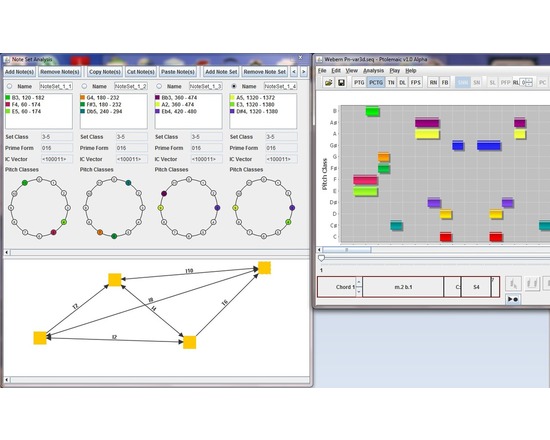
Ptolemaic is a computer application for music visualization and analysis written in the Java programming language. The software is designed to aid in the analysis of all types of Western music using established analytical techniques, including tonal functional analysis (Harrison 1994), pitch-class set analysis (Forte 1973), hierarchical linear analysis (Schenker 1935, Jones 2002), tonal pitch-space analysis on the Tonnetz (Riemann 1915), pitch-class set analysis (Forte 1973), and transformation analysis (Lewin 1987). Musical works and excerpts may be opened and saved using the de-facto standard music notation interchange format, MusicXML. To assist in analysis, Ptolemaic can display the music on a pitch/time graph, on a pitch-class/time graph, on a step-class/time graph (also called a diatonic lattice) (Jones 2002), on the Tonnetz, or using filtered point-symmetry (Douthett 2008). Pitch classes and chords are color coded so that the user can easily correlate them across each graph. The benefit of having a software tool to visualize and perform certain analysis tasks is in automating processes that are normally time-consuming for the musician, thus allowing the music scholar to focus on the musical issues, rather than the technical issues of graphing, and calculating chord classes. Ptolemaic provides useful ways of visualizing a piece of music and tools for gaining more information about that music, so that the user can efficiently make informed musical decisions about the music and preserve that analysis for future study.
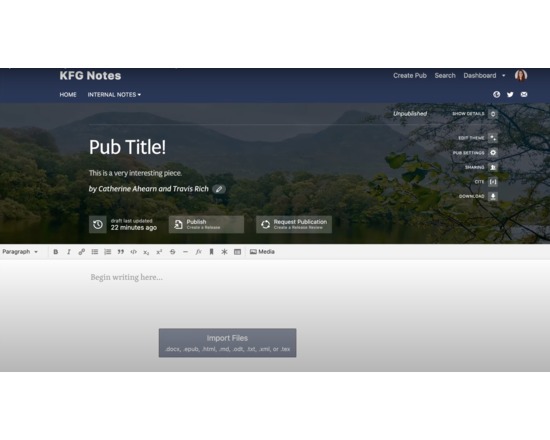
PubPub is a free open source publishing website. Its aim is to facilitate the creation and publishing of knowledge. It is an open-source, hosted, free-to-use content management system designed to help knowledge communities of all types collaboratively create and share knowledge online. PubPub’s flexible, extensible system allows communities to create the dynamic content that best represents their work, whether it’s a traditional academic journal, a book, a repository of interactive documents, a blog, all of the above, or something in between. If needed, PubPub then helps communities integrate their work into academic infrastructure like Crossref and Google Scholar without the need to remake it to conform to legacy expectations of how academic outputs are structured.
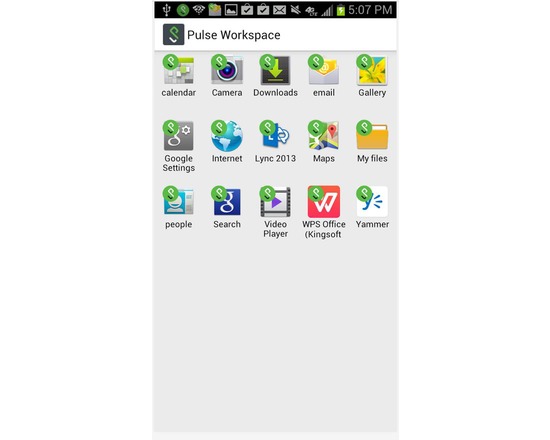
Important Note: Pulse Workspace requires an enterprise license. Please contact your school's IT organization before attempting to use this client. Pulse Workspace helps your educational organization/school enterprise mobilize their applications, govern their data, and respect the privacy of their employees without compromising native user experience. Pulse Workspace' App Virtualization technology secures and isolates enterprise data for any app on any device with no dependence on the app vendor or device manufacturer. This allows enterprises to mobilize their business, secure their data and prevent data leakage from mobile devices. It gives the enterprise the flexibility to choose the apps it needs and the employee the freedom to choose the device they want. Workspace for enterprise apps: • Enterprise data is secured and isolated. • Personal data remains out-of-reach of IT. • Application level VPN integrated with Pulse Secure’s Connect Secure SSL VPN gateway • Apps run natively, locally, and offline. • Apps share data within the workspace. Centralized Policy Management: • Enterprise application management • Passcode, data-at-rest encryption, controlled information sharing, Network/per-app VPN • Enterprise wipe leaves all personal data untouched Any App on Any Device: • IT can push any apps it needs (Built-in, Google Play, Custom) to any device • Users install the Workspace on the device of their choice. • Android 4.x