Skip to content
TAPoR Text Analysis Portal for Research

For researchers who work with text

Find a text analysis tool that fits the work.

TAPoR catalogues concordancers, annotators, topic models, stylometry packages, and visualization environments. Every record notes the platform, the license, and what the tool is actually good for.

  • Platform, license, and method on every record
  • Reviews from people who teach with the tools
  • Lists assembled around a course or a corpus

Browse tools

Filter by the type of analysis.

View all tools
‹

Visualization

Word Cloud - Beta (TAPoRware)

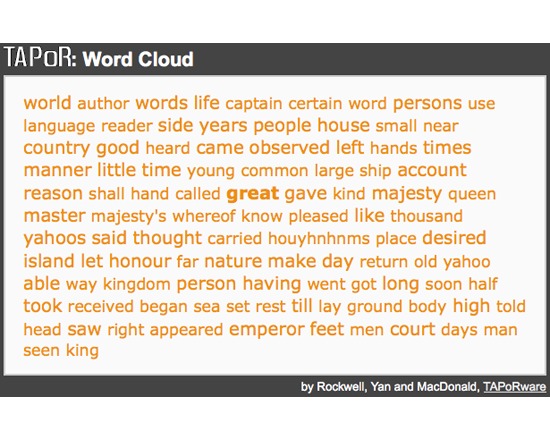
This tool generates a word cloud of the top frequency words from a text document, with word size determined by its frequency. The user can specify how many words are to be included from the document, whether to apply a modified Glasgow Stop Words list, and the order in which the words are displayed. Clicking on a word in the resultant word cloud will generate a concordance for that word. This tool is currently only available for plain text documents. Should the user provide an HTML or XML text, all tags will be stripped and it will be processed as plain text. This tool’s functionality has been incorporated into Voyant available online at www.voyant-tools.org.

Rated 1.0 out of 5.

Visualization

140kit

140kit provides a management layer for tweet collection and analysis. Raw data cannot be passed through to the users, but any analytical process can be run across your dataset, and the data is held for as long as the user wants. When new analytical processes are created, they can be run on existing sets of data. 140kit does not claim any control of the analysis, however it retains ownership of the data collected. Current limits: User: 20,000 Tweets per Dataset or until Dataset time elapses Academic User: 500,000 Tweets per Dataset or until Dataset time elapses

Rated 0.0 out of 5.

Visualization

Advene

The cross-platform Advene application allows users to easily create comments and analyses of video documents, through the definition of time-aligned annotations and their mobilisation into automatically-generated or user-written comment views (HTML documents). Annotations can also be used to modify the rendition of the audiovisual document, thus providing virtual montage, captioning, navigation... capabilities. Users can exchange their comments/analyses in the form of Advene packages, independently from the video itself. The Advene framework provides models and tools allowing to design and reuse annotations schemas; annotate video streams according to these schemas; generate and create Stream-Time Based (mainly video-centred) or User-Time Based (mainly text-centred) visualisations of the annotations. Schemas (annotation- and relation-types), annotations and relations, queries and views can be clustered and shared in units called packages. Hypervideo documents are generated when needed, both from packages (for annotation and view description) and DVDs (audiovisual streams).

Rated 0.0 out of 5.

Visualization

Aeon Timeline

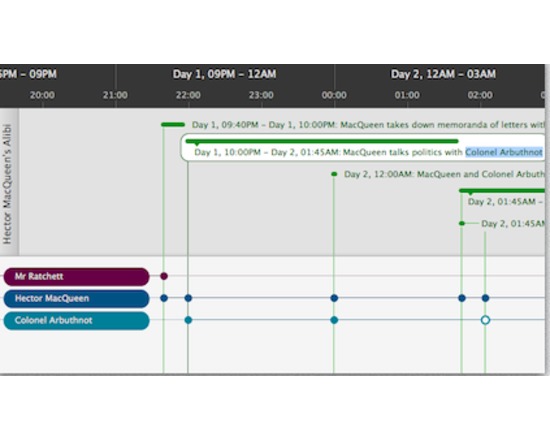
Aeon Timeline is more like an abstract temporal entity management program. I t happens to use a visual timeline, but it allows for conceptual linking of people, places, events in a rather clever fashion. It is intended for brainstorming and collecting via flexible input and export. With Aeon, you can divide your timeline into logical groups, projects, or concurrent arcs. You can model the relationships between events and people, places and ideas. Aeon calculates people's ages for you. And you can link your events with research material such as external files or images that can be displayed inside the application.

Rated 0.0 out of 5.

Visualization

All Our Ideas

All Our Ideas is a research project that seeks to develop a new form of social data collection by combining the best features of quantitative and qualitative methods. Using the power of the web, we are creating a data collection tool that has the scale, speed, and quantification of a survey while still allowing for new information to "bubble up" from respondents as happens in interviews, participant observation, and focus groups.

Rated 0.0 out of 5.

Visualization

Alt.Text

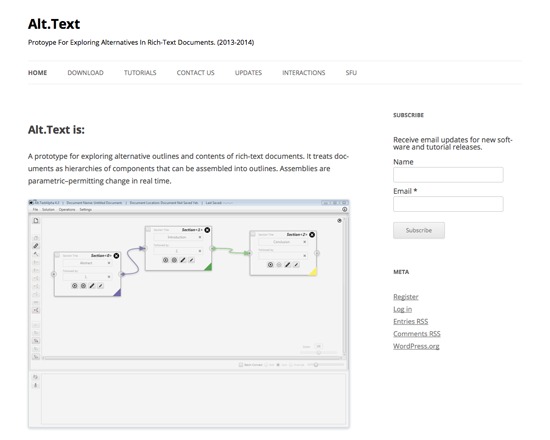
Alt.Text is a free, working prototype application for exploring a text on both an outline and content level via a graphical user interface. It breaks down texts into components such as sections, passages or documents, and permits users to leverage these components to create outlines and break off sections. Alt.Text includes three interfaces: the Document Editor (define sections, create outlines), the Section Editor (define passages of text within a given section), and the Outline Viewer (choose which passages to include in an outline section). Alt.Text is under active development, and is available for download in both Windows and OS X versions.

Rated 0.0 out of 5.

›

Curated lists

Curated list created by experience authors in the fields.

All curated lists

Geoffrey Rockwell

Cool Voyant Tools

Not all Voyant tools show up in the default view or skin. Here is a list of some of the other tools worth trying.

4 tools

View list

Holly Pickering

Audio Production Software

Interested in audio production and editing? Here are a few programs that can help you get on your way. Some of them are free, some not, but all are helpful and useful.

3 tools

View list

Jason Bradshaw

TATR: Text Analysis for Twitter Research

This list compiles a suite of tools that make up Kynan Ly's Text Analysis for Twitter Research (TATR) Library. Recipes to these notebooks can be found on methodi.ca

6 tools

View list

The catalogue

  • 1321

    Tools catalogued

  • 15

    Curated lists

  • 22

    Analysis types

  • 671

    Community reviews

More is coming

Researchers, power users, and students will soon be able to contribute tools, share reviews, and curate lists around their own work.