Skip to content
TAPoR Text Analysis Portal for Research

For researchers who work with text

Find a text analysis tool that fits the work.

TAPoR catalogues concordancers, annotators, topic models, stylometry packages, and visualization environments. Every record notes the platform, the license, and what the tool is actually good for.

  • Platform, license, and method on every record
  • Reviews from people who teach with the tools
  • Lists assembled around a course or a corpus

Browse tools

Filter by the type of analysis.

View all tools
‹

Visualization

TextDNA

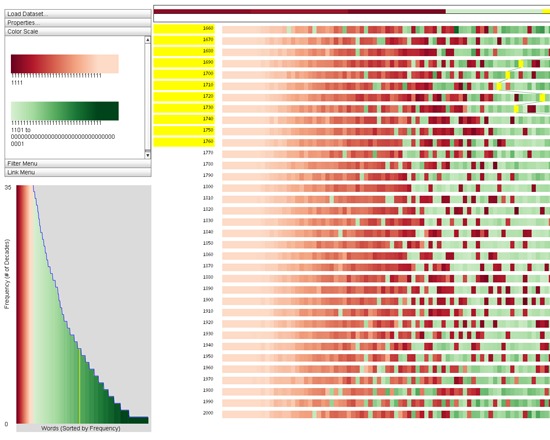
TextDNA is a free tool for large-scale overview analysis of linguistic data offered by the University of Wisconsin, Madison. It identifies patterns within a text, and enables users to compare ordered sets of data with its sequence visualization. It can be used with texts stored in databases, Google N-Grams datasets and CSV files.

Rated 0.0 out of 5.

TextExpander

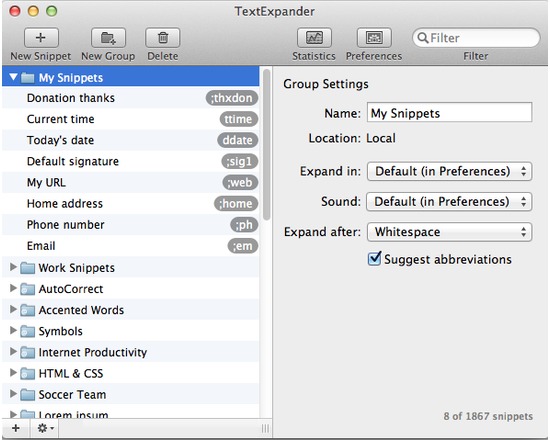
Save time and effort with TextExpander! Whether it's a simple email signature or several paragraphs of a standard response, you'll love how easy it is to use TextExpander to avoid typing the same thing over and over. Insert standard greetings, text, and signatures, including formatted text and pictures Save keystrokes by typing short abbreviations to get long snippets Correct typos automatically (Add them to your snippet library and/or use one of the included AutoCorrect snippet groups for English, French or German) Reposition the cursor in the expanded snippet, or use our new fill-in-the-blank snippets to enter variable data in multiple fields Position the cursor wherever you want in your expanded snippet Automatically insert clipboard content in a snippet Use fill-ins for snippets with multiple options for variable content Sync snippets via Dropbox; use snippets on multiple devices (with TextExpander touch) Organize snippets into groups Search snippets from menu bar or via keyboard shortcut Get suggestions of matching abbreviations via keyboard shortcut Add snippet groups from external files and online sources HTML, CSS, AutoCorrect, Accented Words, Symbols snippet groups included Internet Productivity snippet group (shorten long URLs automatically) Insert the current date and time in any format you prefer Date/time math (add or subtract years, months, days, hours, minutes, seconds from current date and time) Print snippets by group For programmers, make editor-independent code templates; invoke AppleScripts and shell scripts

Rated 0.0 out of 5.

Visualization

Textexture

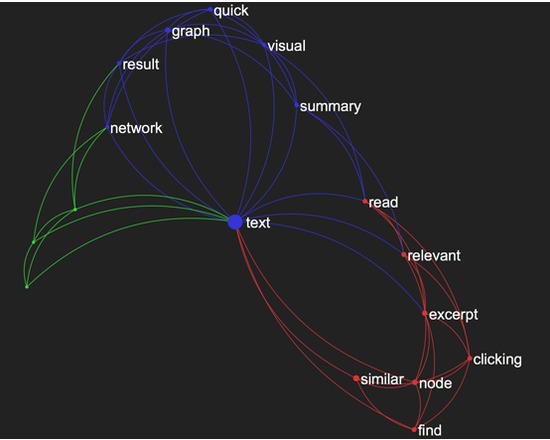
Textexture is a free, web-based tool for visualizing texts as a network. The visualization gives a quick visual summary of the text. Clicking on nodes brings up the excerpts the tool has identified as most relivant, and permits users to locate similar texts. Users can upload their own text, or visualize texts from Textexture's library of public texts.

Rated 0.0 out of 5.

Content Analysis

Textflo

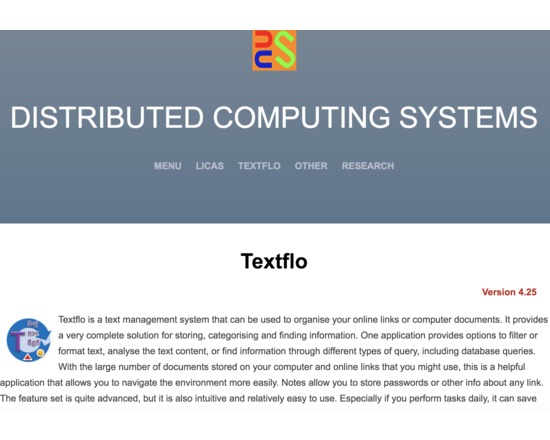
This product can filter or format text-based content. It also includes a document or link organiser and search capabilities and might more correctly be termed a text management system. With the large number of documents stored on your computer and online links that you might use, this is a helpful application that allows you to navigate the environment more easily. Although the feature set is now well developed, an inexperienced user should still be able to use it relatively easily. It is not intended only for the expert managers. The key features of the application are therefore as follows: 1. The ability to read text, XML, or parse the contents of PDF or online content (HTML). Binary (Microsoft Office) files are included in the professional version. 2. A set of filter operations that can be applied in sequences, saved and retrieved. 3. A set of folders can be used as default locations for all of your related data. The application runs locally only, there is no requirement for a remote server. 4. A grid or tabular format allows you to view database queries, or for operations over specific columns or cells. A log file might have a standard format that can be queried, or conversion to CSV might be required, for example. 5. An analysis panel allows you to select single or groups of files and compare the content based on known clustering algorithms. Also some basic statistical counts. 6. Basic search from a toolbar, or more complex search operations from a Query form. The search facilities allow you to find information from different views and query types. 7. A separate Organiser application allows you to store your online links or local files, into ordered books and categories that can also be searched over. This allows for querying most of the available information, including keywords, descriptions, notes and content. 8. A Bookmarks form displays a list of ordered file references or links, for any type of file. You can open one of your commonly viewed files or links through a single click.

Rated 0.0 out of 5.

Visualization

TextImager

TextImager is a UIMA-based framework that offers a range of NLP and visualization tools by means of a user-friendly GUI. Using TextImager requires no programming skills. It can be used as on online web application. Note: The tool is presently not functional.

Rated 0.0 out of 5.

Visualization

Textometrica

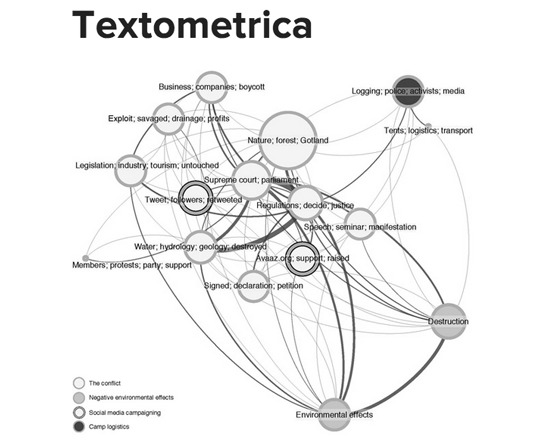
Textometrica is a free, web based text analysis tool offered by HUMlab at Umeå University. Users can upload a plain-text file and examine its word frequencies, see co-occurrences, and generate visualizations and graphs.

Rated 0.0 out of 5.

›

Curated lists

Curated list created by experience authors in the fields.

All curated lists

Geoffrey Rockwell

Cool Voyant Tools

Not all Voyant tools show up in the default view or skin. Here is a list of some of the other tools worth trying.

4 tools

View list

Holly Pickering

Audio Production Software

Interested in audio production and editing? Here are a few programs that can help you get on your way. Some of them are free, some not, but all are helpful and useful.

3 tools

View list

Jason Bradshaw

TATR: Text Analysis for Twitter Research

This list compiles a suite of tools that make up Kynan Ly's Text Analysis for Twitter Research (TATR) Library. Recipes to these notebooks can be found on methodi.ca

6 tools

View list

The catalogue

  • 1321

    Tools catalogued

  • 15

    Curated lists

  • 22

    Analysis types

  • 671

    Community reviews

More is coming

Researchers, power users, and students will soon be able to contribute tools, share reviews, and curate lists around their own work.