Skip to content
TAPoR Text Analysis Portal for Research

For researchers who work with text

Find a text analysis tool that fits the work.

TAPoR catalogues concordancers, annotators, topic models, stylometry packages, and visualization environments. Every record notes the platform, the license, and what the tool is actually good for.

  • Platform, license, and method on every record
  • Reviews from people who teach with the tools
  • Lists assembled around a course or a corpus

Browse tools

Filter by the type of analysis.

View all tools
‹

Creation

Jumpchart

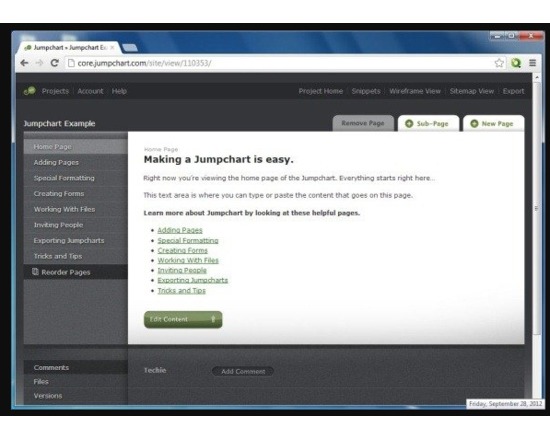
Jumpchart is a way to collaboratively design website wireframes and sitemaps, and includes the ability to create navigation menus, draft and organize content, and track changes. It could be used as a way to get a head start on building a website, even before a server and/or software are available. Jumpchart offers HTML exports, and a direct-to-WordPress export ($25+/month accounts only).
Rated 0.0 out of 5.

Visualization

Jupyter notebook: Document similarity

A Jupyter notebook that show some methods of comparing documents. The methods included are: -Document term matrix -TF-IDF -Cosine similarity -Visualizing document similarity with scatterplots -Visualizing document similarity with dendrograms

Rated 0.0 out of 5.

Visualization

Juxta

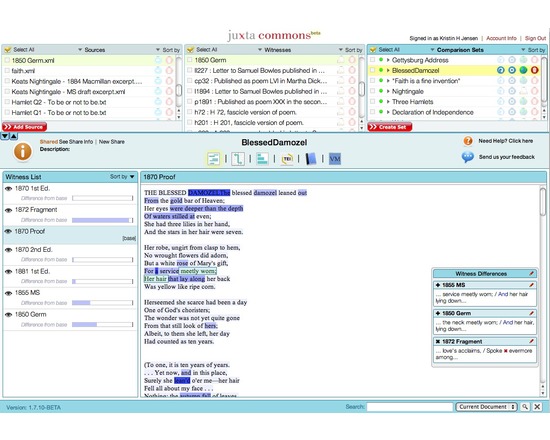
Juxta is a free, open source tool for comparing and collating texts, originally intended for comparing multiple versions of the same text. It offers several views and visualization options, including histograms and side by side comparison. Juxta is available as both a desktop application and as a web service that can be integrated into the user's own website.

Rated 0.0 out of 5.

Juxta Commons

The Juxta family of software (Juxta, Juxta WS, and Juxta Commons) allows you to compare and collate versions of the same textual work. Juxta Commons is an online space powered by the open-source Juxta Web Service that lets you collate sets of two or more texts and share online visualizations of the differences between them. Side-by-side or "heat map" visualizations can be viewed on the Juxta Commons site, while embedding codes are available for sharing a compact version of the heat map visualization on your own blog or website. Collation results can also be output as an XML file with TEI parallel segmentation markup, or as a Word document or HTML file with a base text and traditional textual apparatus. Development of Juxta Commons was sponsored by NINES.

Rated 0.0 out of 5.

Publishing

JuxtaEditions (HumEdit)

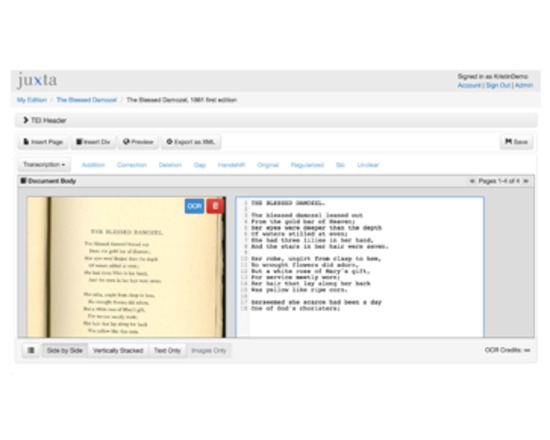
Built inside Juxta Editions is the HumEdit editor. HumEdit provides an easy to learn environment for transcribing, editing, and marking up text. Whether you are working with a printed page or a manuscript leaf, you will find that you spend more time to focused on your objects of study with HumEdit.

Rated 0.0 out of 5.

Visualization

JuxtaposeJS

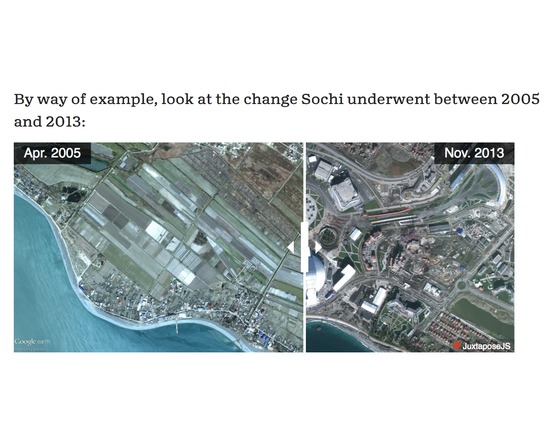
JuxtaposeJS helps tell stories by comparing two image frames, including photos and gifs. It provides a means, by a draggable pane, to see the changes and visually analyse the differences between the two images. It’s an adaptable storytelling tool that is ideal for highlighting then/now stories that explain slow changes over time (growth of a city skyline, regrowth of a forest, etc.) or before/after stories that show the impact of single dramatic events (natural disasters, protests, wars, etc.). JuxtaposeJS is free, easy to use, and open source. Almost anyone can use JuxtaposeJS, so long as you’ve got links to two similar pieces of media (hosted on your own server or on Flickr). Once you’ve got the links, all you need to do is copy and paste the URLs into the appropriate fields at Juxtapose.knightlab.com, modify labels as you see fit, add photo credits, and then copy and paste the resulting embed code into your site. You’ve probably seen similar photo slider tools elsewhere. They work well, but we built JuxtaposeJS without relying on jQuery, which makes the tool more lightweight, flexible, and adaptable. It’s also accessible to any newsroom or journalist, regardless of technical skills. It also offers some customization out of the box. You can modify the handle’s start position to highlight the area of change and choose to click the slider instead of dragging. It is responsive and works on phones and tablets with the touch or swipe of a finger.

Rated 0.0 out of 5.

›

Curated lists

Curated list created by experience authors in the fields.

All curated lists

Geoffrey Rockwell

Cool Voyant Tools

Not all Voyant tools show up in the default view or skin. Here is a list of some of the other tools worth trying.

4 tools

View list

Holly Pickering

Audio Production Software

Interested in audio production and editing? Here are a few programs that can help you get on your way. Some of them are free, some not, but all are helpful and useful.

3 tools

View list

Jason Bradshaw

TATR: Text Analysis for Twitter Research

This list compiles a suite of tools that make up Kynan Ly's Text Analysis for Twitter Research (TATR) Library. Recipes to these notebooks can be found on methodi.ca

6 tools

View list

The catalogue

  • 1321

    Tools catalogued

  • 15

    Curated lists

  • 22

    Analysis types

  • 671

    Community reviews

More is coming

Researchers, power users, and students will soon be able to contribute tools, share reviews, and curate lists around their own work.