Skip to content
TAPoR Text Analysis Portal for Research

Tools

Sort by Name ↓ Rating Date

Clipping Magic

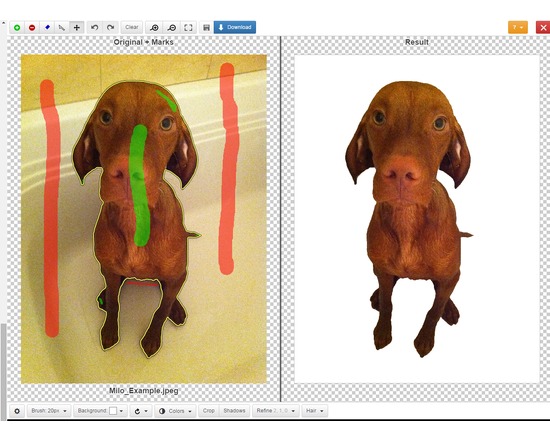
Clipping Magic lets you easily edit out the background of photos. Mark up the foreground and background in the editor, use the scalpel tool for precision selections, then download the new image. You can upload and edit as many images as you like but you must have a paid subscription to download ($4 - $15 per month depending on the number of download credits needed). Officially supported file formats: JPEG, PNG, GIF images using sRGB color space. CMYK displays the wrong colors in the editor but the resulting image is correct. Current max image resolution is 4 megapixels. The Clipping Magic website includes tutorials for each of their tools. Feature List: Web based graphical user Interface, with quick feedback on your edits. Smart Algorithm minimizes the amount of work you need to put in - you do not need to trace the entire outline of your image Pan and Zoom to any level necessary allows you to inspect details while quickly navigating your image. Undo / Redo Auto-Save Configurable Auto-Brush-Size: The brush size adapts dynamically to your zoom level so that you can easily zoom in to make detailed edits. Refine Edges gives you full control over smoothing, feathering and offset. Dedicated Hair Tool separates out hair from clean and distinct backgrounds. Color Levels - tune brightness, shadows and highlights, and the color temperature. Rotate / Straighten. Crop & Resize Shadows creator with both drop shadow and ellipse shadows. Background Color or transparent background options Configurable Defaults Bulk Clipping Share Your Results with a secure URL They also offer a paid REST-oriented Web API for automating the uploading of images and downloading results. Subscriptions range from $50 to $250 per month.The editor can be integrated into a website using ClippingMagic.js
Rated 0.0 out of 5.

Annotating

CLAWS Tagger

Part-of-Speech (POS) tagging software for English - the classification of words into one or more categories based upon its definition, relationship with other words, or other context, also known as wordclass tagging. CLAWS (Constituent Likelihood Automatic Word-tagging System) uses several methods to identify parts of speech., most notably a system called Hidden Markov models (HMMs) which involve counting examples of co-occurrence of words and wordclasses in training data and making a table of the probabilities of certain sequences of words. Features: Parts-of-Speech tagging with an accuracy rate of approximately 96-97 percent for text analyzed for common text types in British English. Template tagging A free version is CLAWS is scheduled for release in 2015.

Rated 0.0 out of 5.

Natural Language Processing

CLAWS Part-of-Speech Tagger

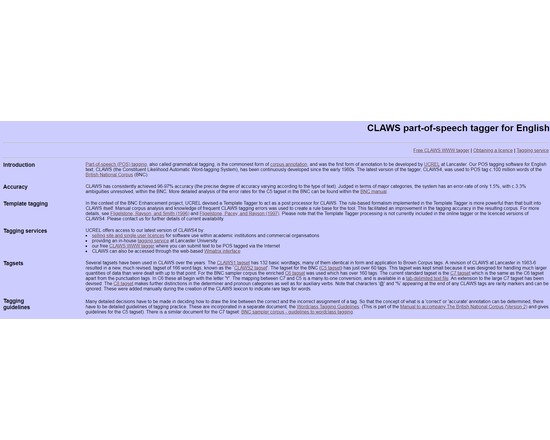
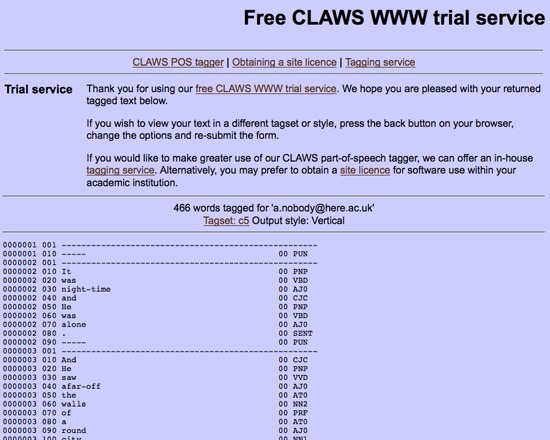
CLAWS (Constituent Likelihood Automatic Word-tagging System) is a free parts-of-speech tagging tool from Lancaster University. It has been continuously developed since the 1980s, has consistently achieved 96-97% accuracy, and has been applied to the over 100 million word British National Corpus. This tool is available for download in addition to an on-line 'trial' version.

Rated 0.0 out of 5.

Search

Classical Text Editor

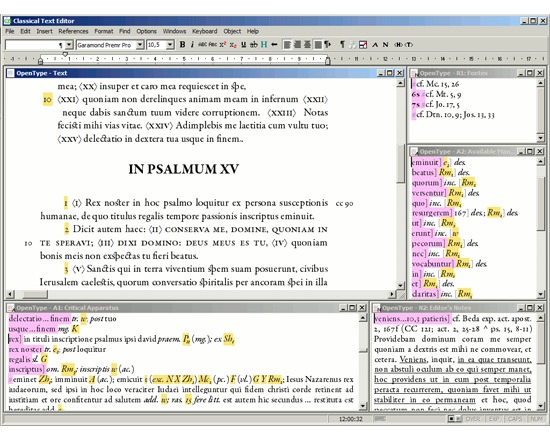
Classical Text Editor is a tool for scholars working on critical editions or an a text with commentary and translation, to aid in preparing a camera-ready copy or electronic publication. Its features includes but is not limited to collation, text retrieval, XML and HTML export and tagging, and a full range of formatting options. This tool has been in continuous development since 1997.

Rated 0.0 out of 5.

Natural Language Processing

CLAS (Computerized Language Analysis System)

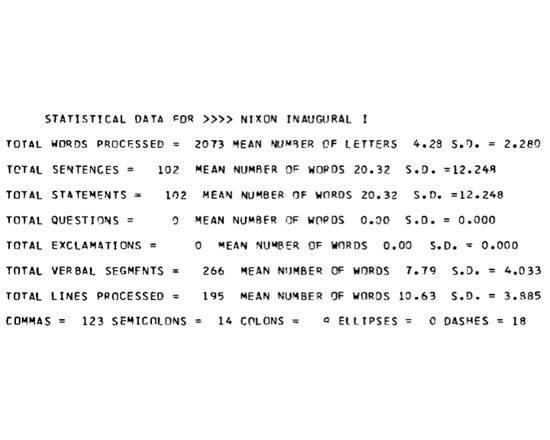
CLAS (Computerized Language Analysis System) was an important historic text analysis system available in the 1970s. It was written in PL/I for IBM 360/370 punch card machines and performed standard statistical tests and concordances on natural language texts.

Rated 0.0 out of 5.

Natural Language Processing

CLARIN-PL

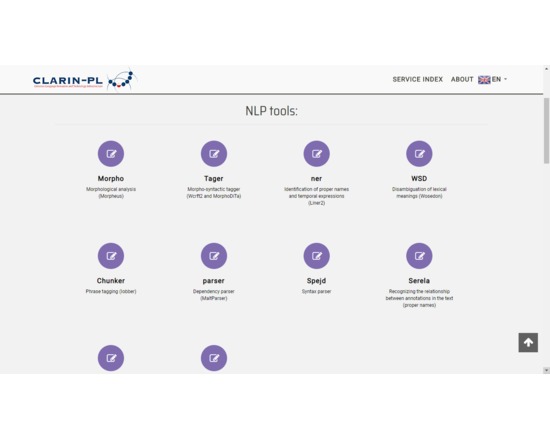
It is a set of tools created by the Polish branch of Common the Language Resource and Technology Infrastructure (CLARIN) mainly for the analysis of Polish text. It has many Natural Language Processing (NLP) tools among which are verb annotations, named entity recognition, phrase parser, and spacial expression recognition. Some of the tools can be used for German and English.

Rated 0.0 out of 5.

Collaboration

Clarify-it

Mac and Windows tool for taking multiple screenshots, annotating them, and combining them into a single document.

Rated 0.0 out of 5.

Collaboration

CiteULike

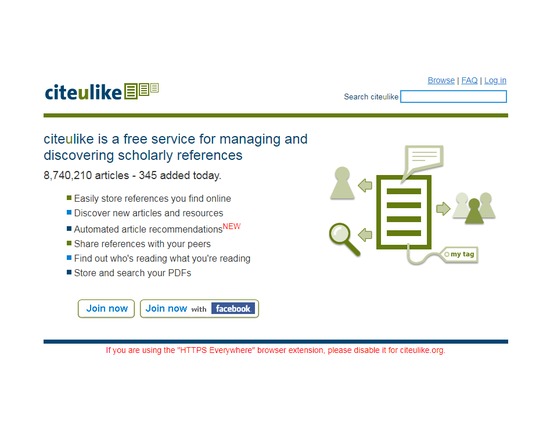
CiteULike is a free service to help you to store, organise and share the scholarly papers you are reading. When you see a paper on the web that interests you, you can click one button and have it added to your personal library. CiteULike automatically extracts the citation details, so there's no need to type them in yourself. It all works from within your web browser so you can access it from any computer with an Internet connection. CiteULike supports annotation and rating of items, and upload of attachments (e.g. PDF file). (Attachments are only accessible privately by individual users). Bibliographic entries can be imported singly or in batches using BibTex or RIS formats.

Rated 0.0 out of 5.

Publishing

Citeline

Citeline was a tool for publishing bibliographies and citation collections on the web. It takes a BibTex file exported from Endnotes, Refworks and similar tools and turns the collection into an interactive, shareable exhibit. Citeline citation collections may also be exported in a variety of formats, such as BibTex, JSON, XML or tab-separated values. The Citeline project has been retired, and the website is no longer available. Information about Citeline is currently only available via the Internet Archive.

Rated 0.0 out of 5.

Organizing

Citavi

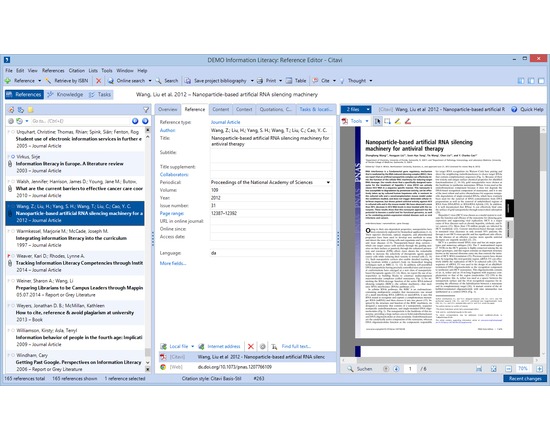
Citavi's core features are reference management, knowledge organization, and task planning. Reference management Search in thousands of databases and library catalogs from within Citavi Organize references Annotate and automatically rename PDF files Batch import PDF files and import their metadata automatically Find fulltext to references Collaborate with others on a local network (no need to have your data in the cloud) Import from other reference management programs and formats, including RIS and BibTeX Import ISBNs, DOIs and PubMed-IDs on web pages with a click Import web pages with a click Transform web pages into PDF files to save their content Work seamlessly with Word (versions from 2003) Send references to Open Office and LibreOffice Writer and any program that can process files in RTF (i.e. Scrivener) Use with LaTeX editors Create subject bibliographies with a click Publish in all common citation styles. Styles for journals can be requested" target="_blank" for free Integrated citation style editor Advanced style finder Integrated quick help Interface and quick help in seven languages (English, French, German, Italian, Polish, Portuguese, Spanish) Knowledge organization Import text excerpts and images from documents as quotations and organize them together with summaries, comments and own ideas imported as "thoughts" Quotations, summaries, comments and thoughts can be outlined directly in Citavi to reflect the structure in chapters of the publication prior to the actual writing, thus permitting to separate the construction of the argumentative structure from the actual writing process Task planner Schedule tasks related to titles (order, photocopy, extract citations, read, check, ...) and milestones Print lists of to do lists with a click

Rated 0.0 out of 5.